Facebook Account Email Verification Login & Password Change Guide
After placing an order in the marketplace, you will receive account information similar to the following:
615******27 |VC***IeQj |V2MY******6UFRZSXU |ha******gird@facemailtop.us |co******uf0|cookie
Details:
Email:ha******rd@facemailtop.us
Email Password: co****euf0
Email Verification Code Retrieval
Copy and paste the email domain suffix "@facemailtop.us" into your browser's address bar to access the login page.
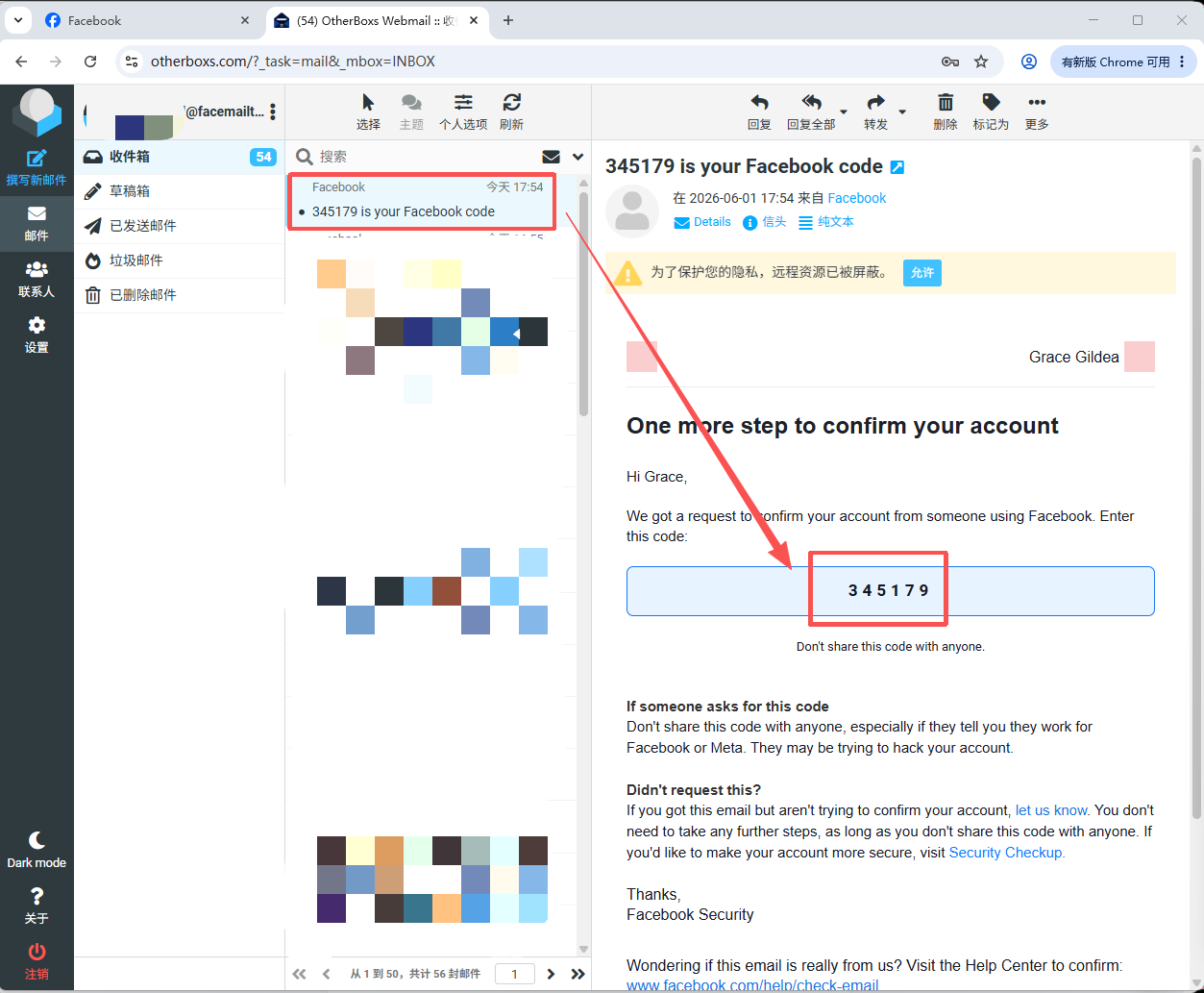
Log in using the email address and password provided in your order. Locate the verification code sent by Facebook and enter it into Facebook when prompted.
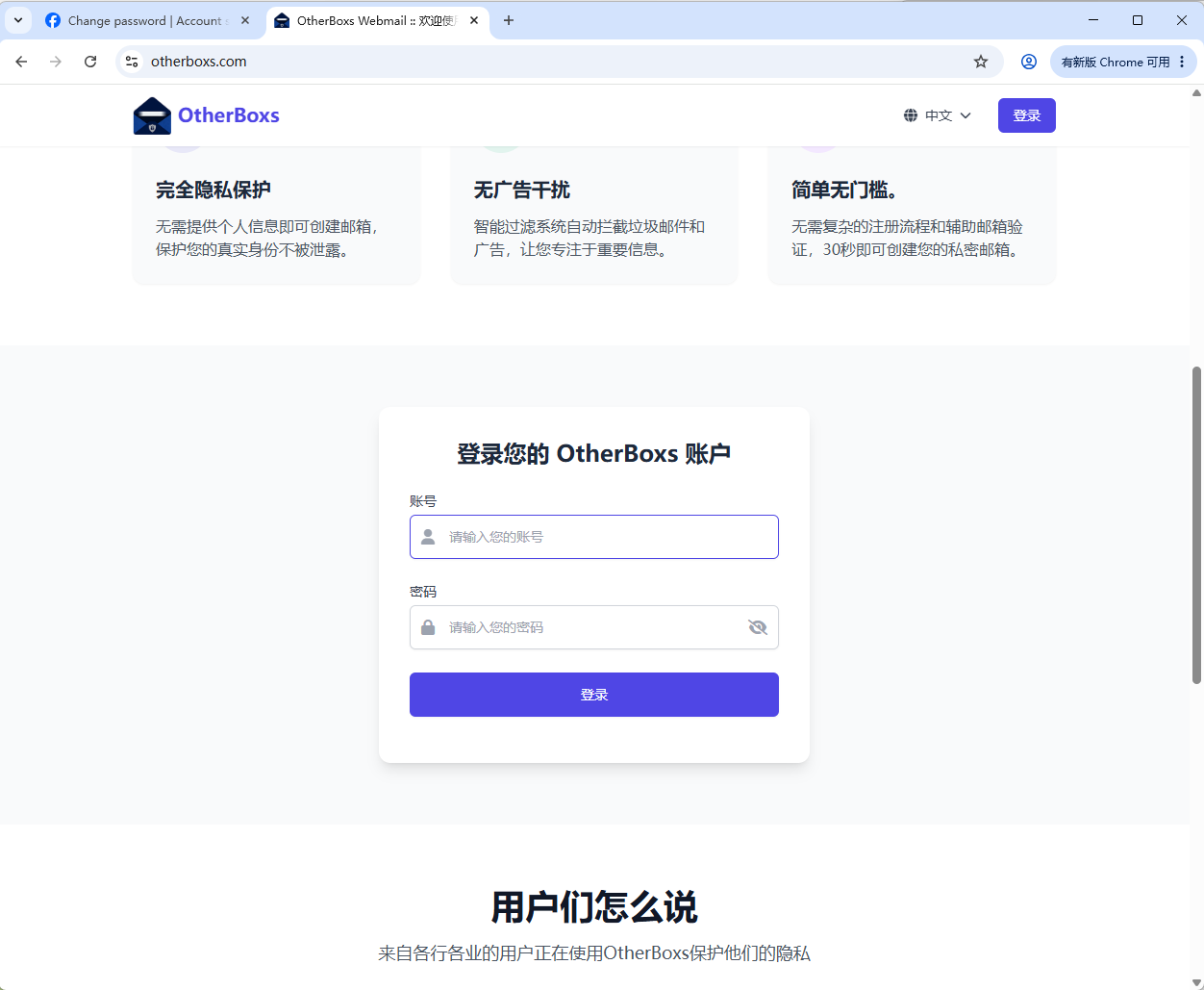
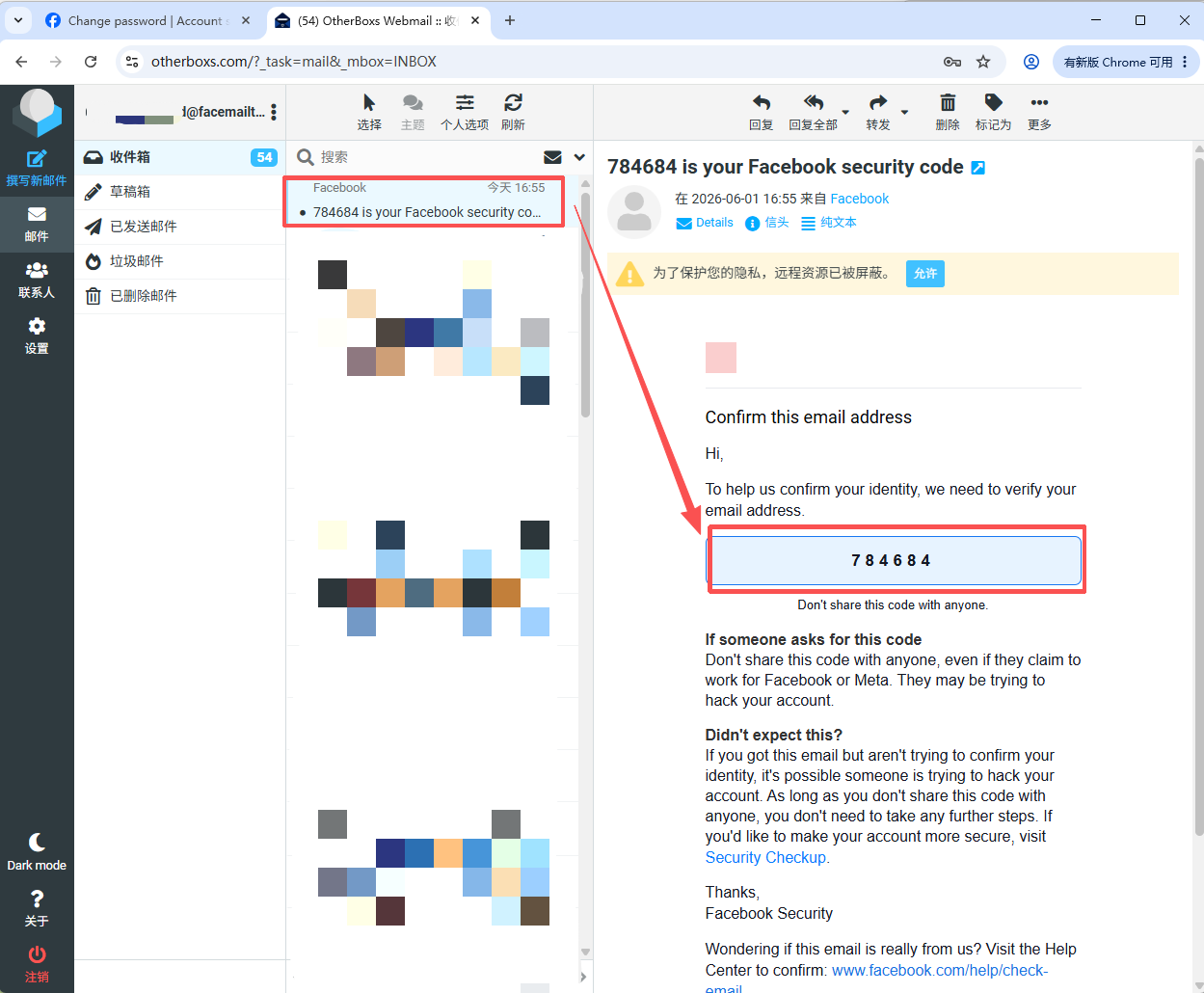
Facebook Login via Email Verification (No Password Required)
1.Open Facebook and click "Forgot Password?"-Enter the email address associated with the account, and select the account linked to the email address-Choose "Send Code via Email."
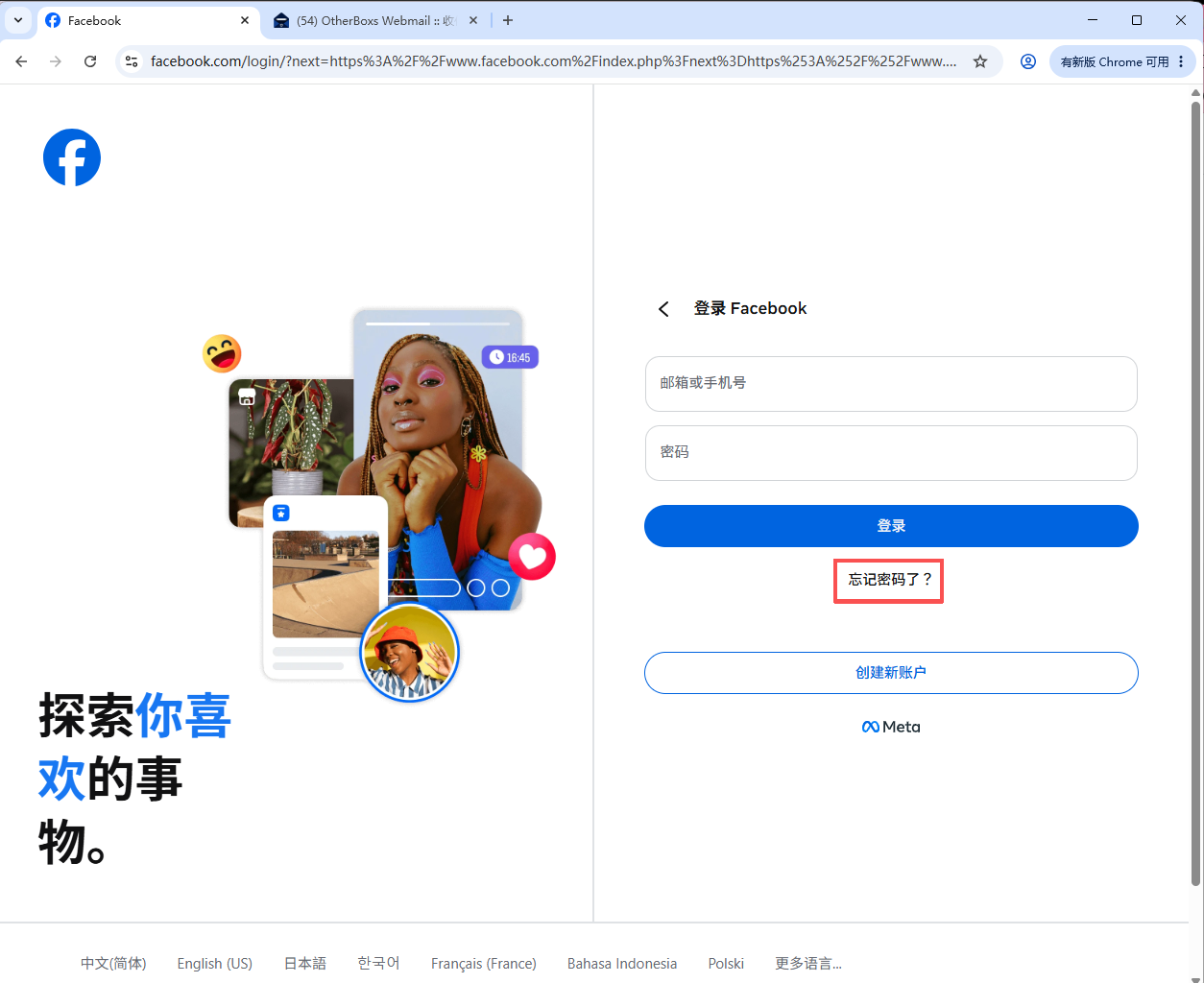
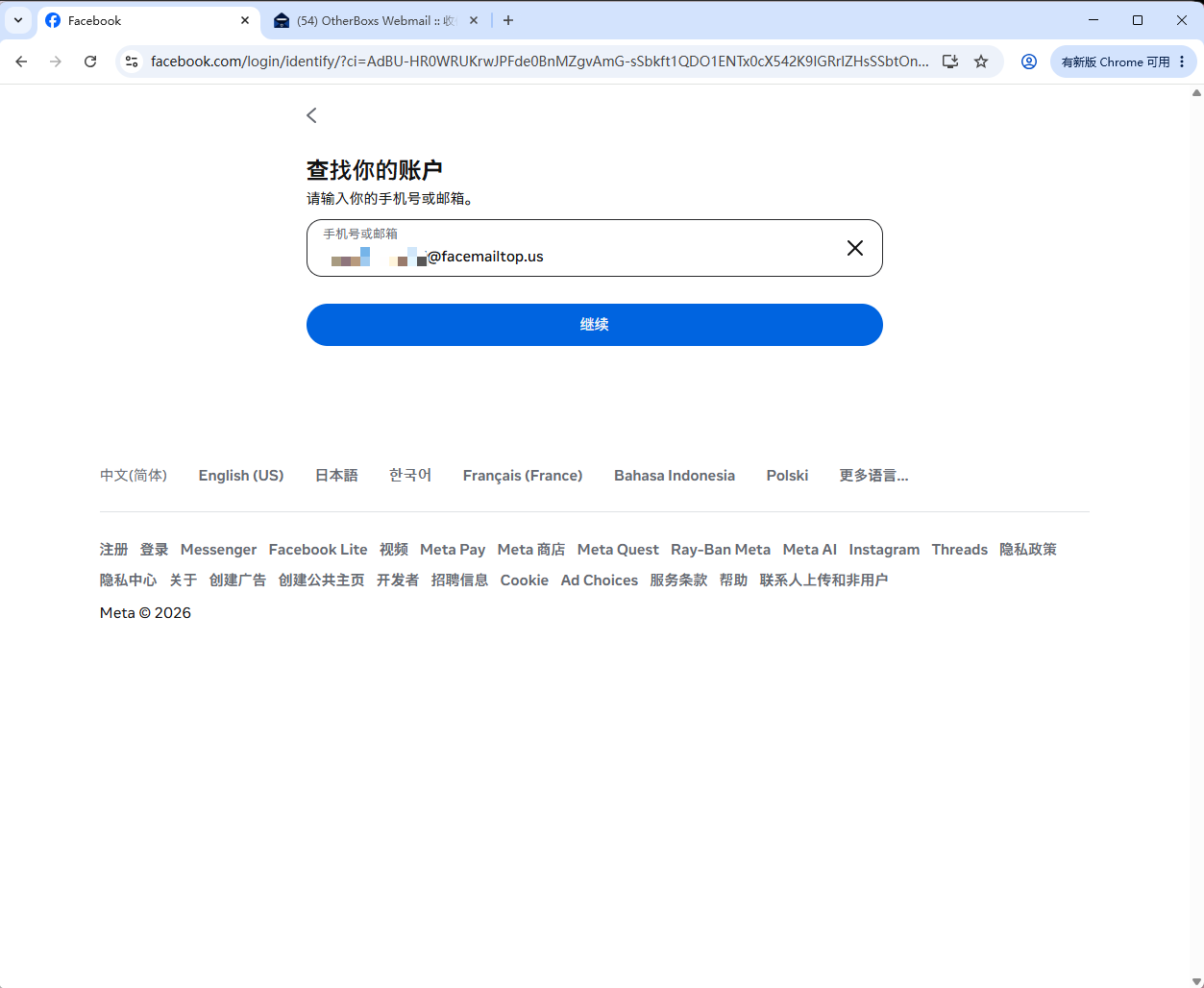
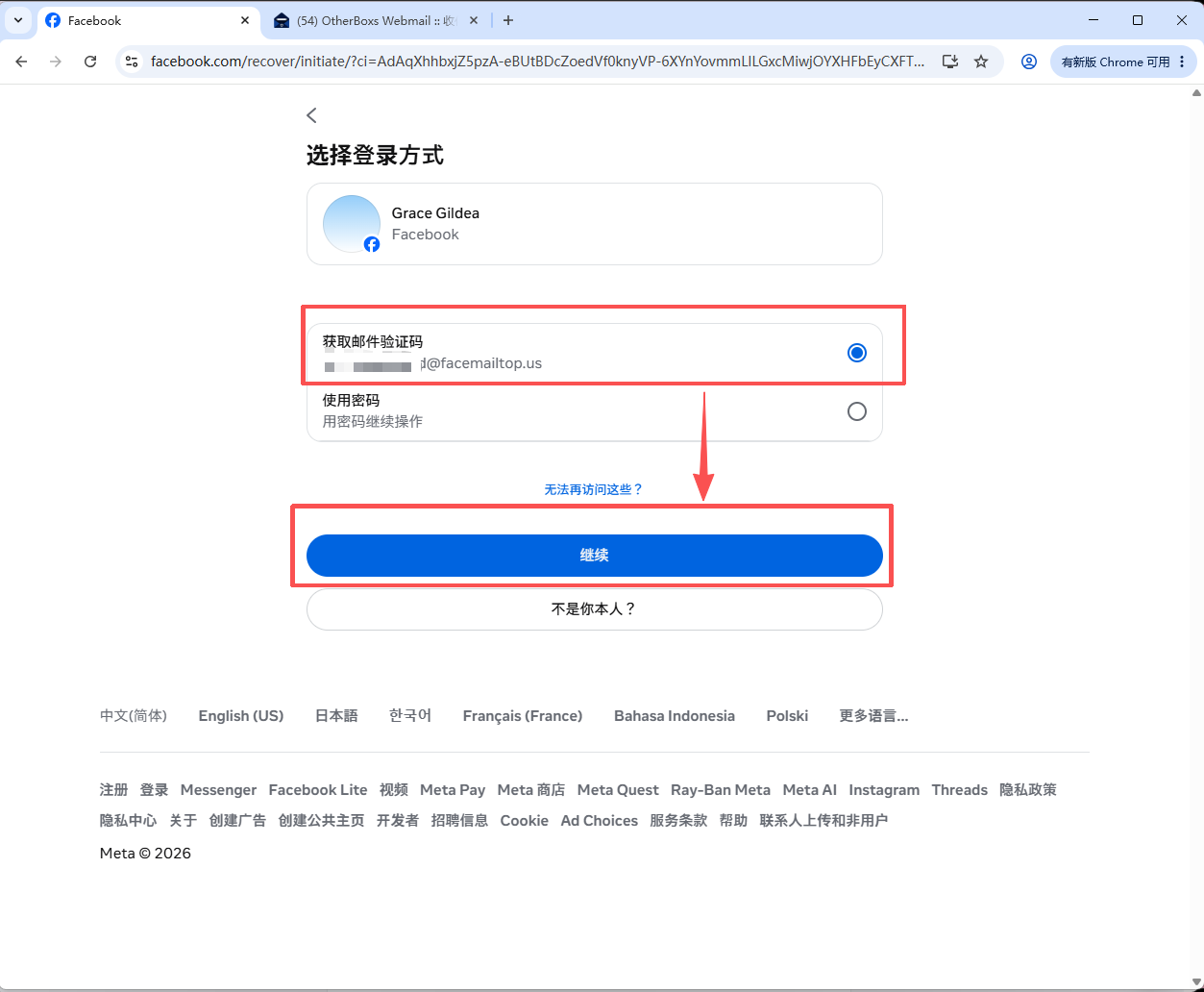
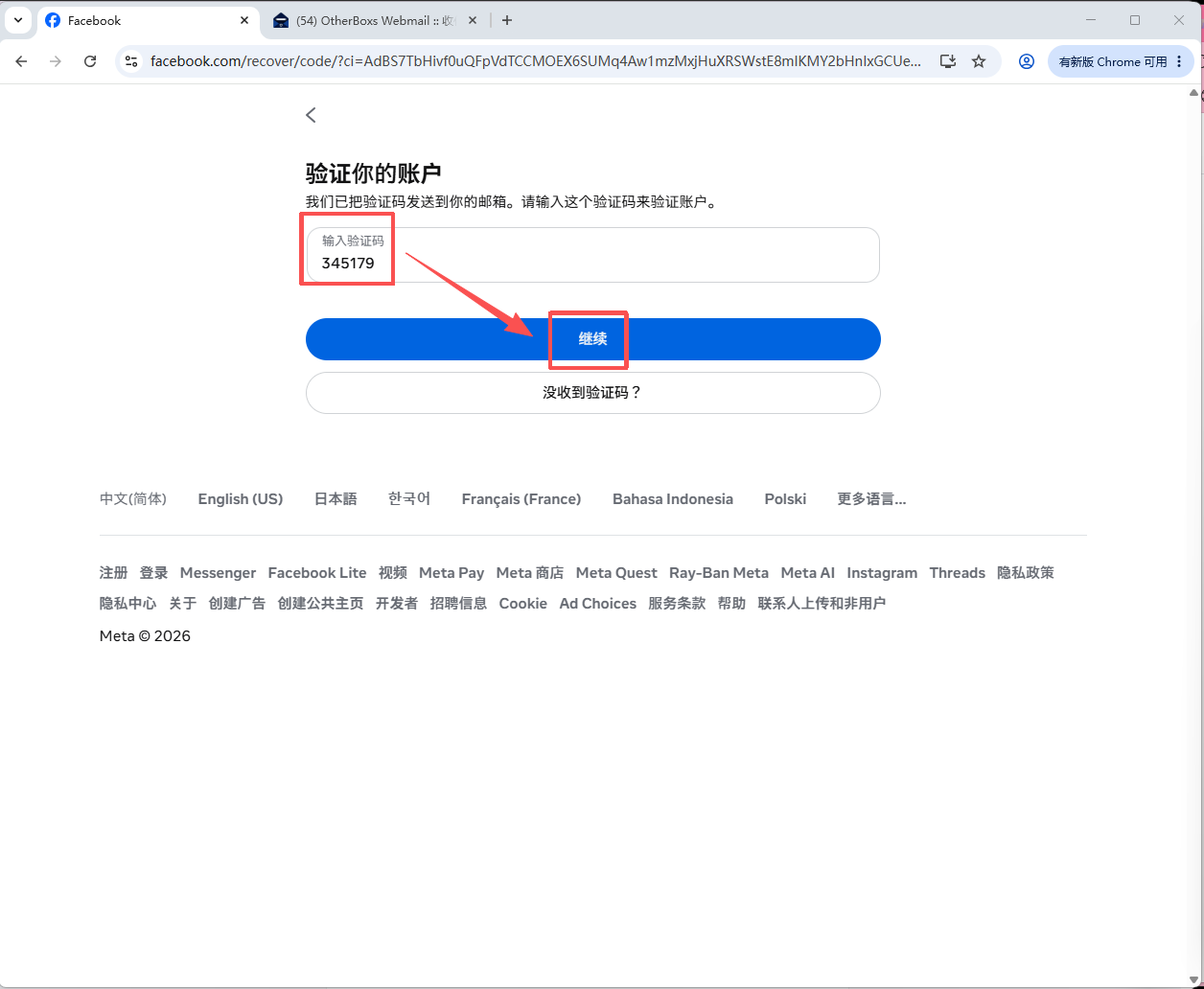
2.Access the email inbox, retrieve the verification code, enter it into Facebook, and click "Continue" to log in.
Changing the Password of a Facebook Personal Account
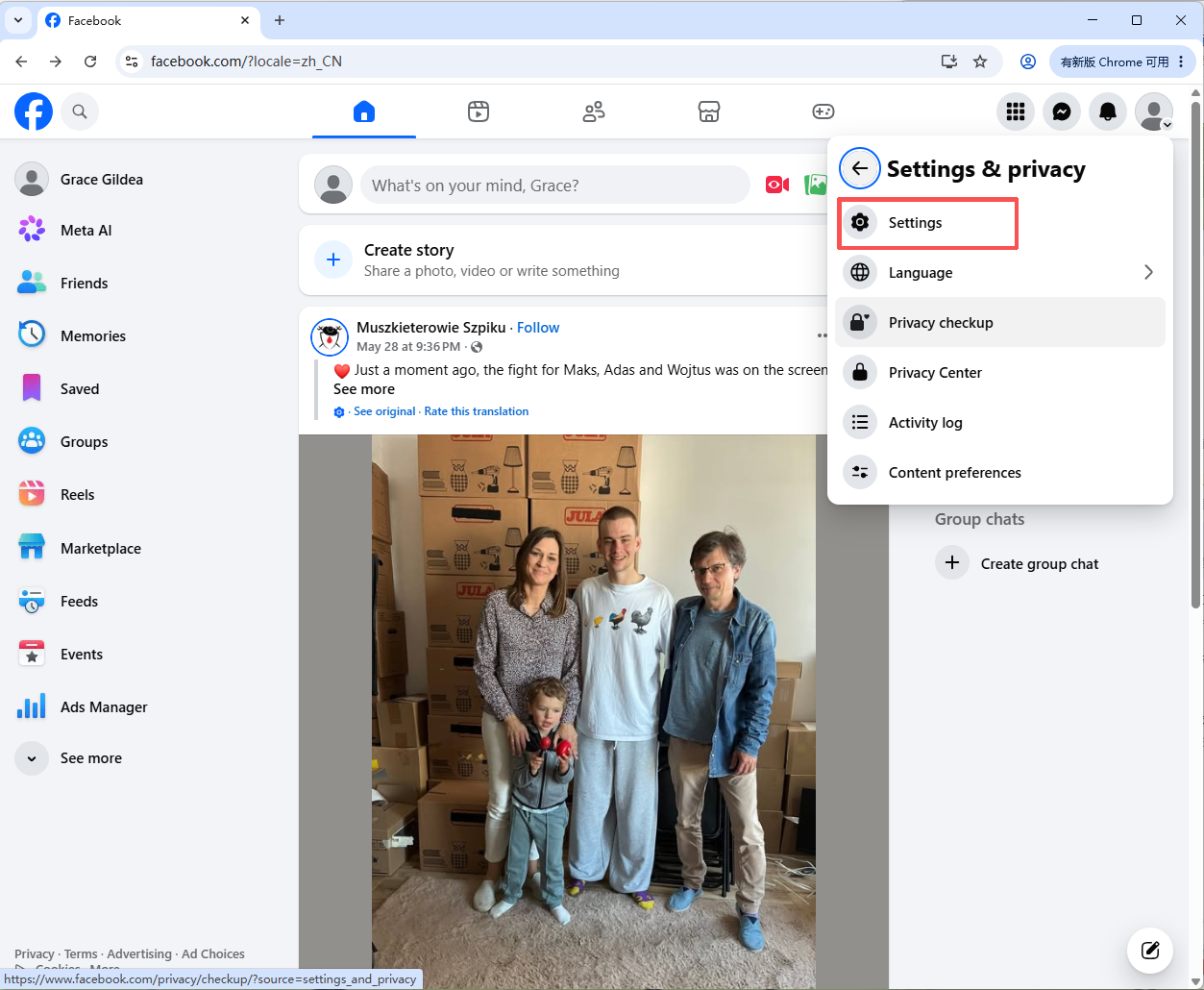
1.Click your profile picture in the upper-left corner.
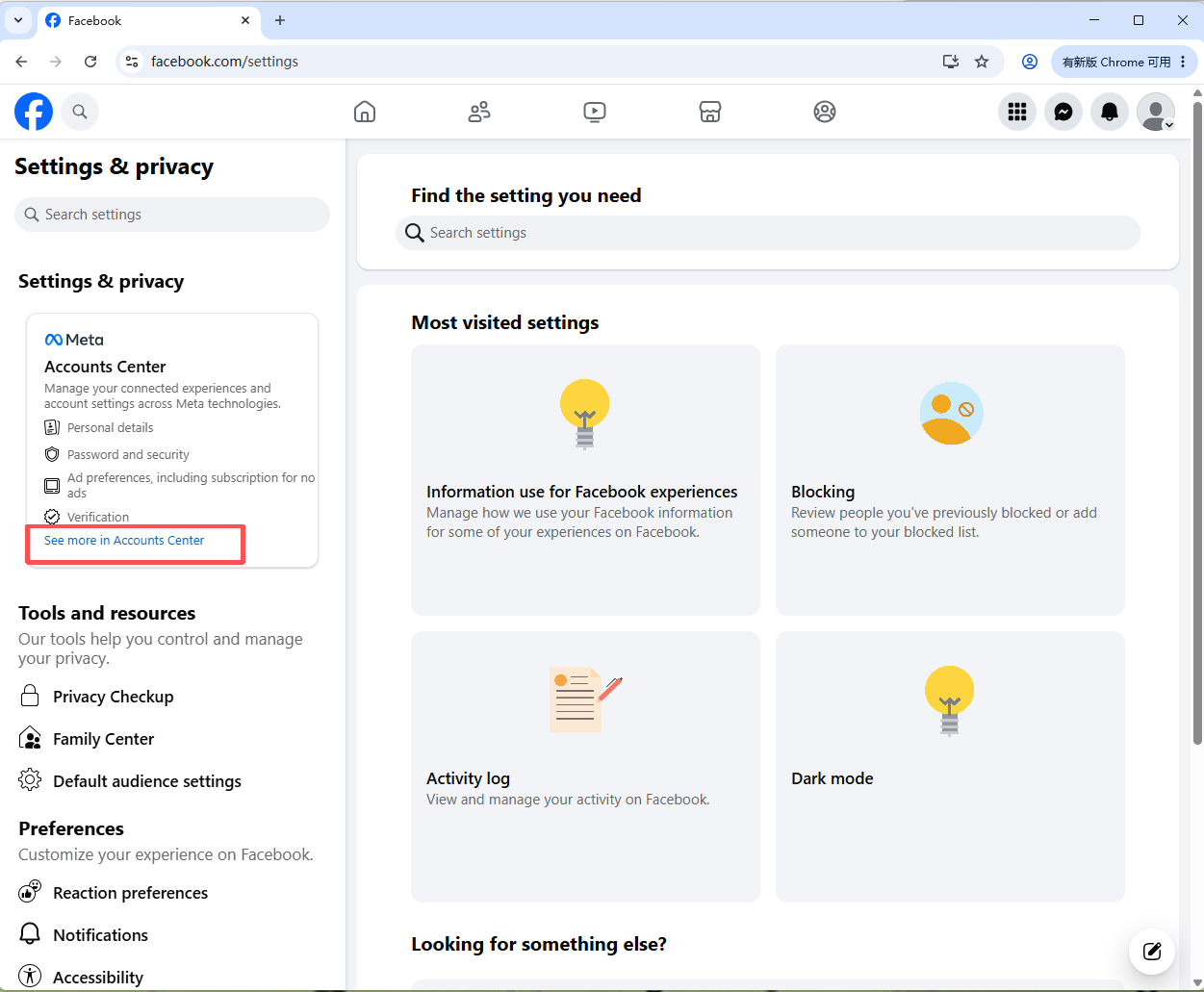
Go to: Settings & Privacy → Settings
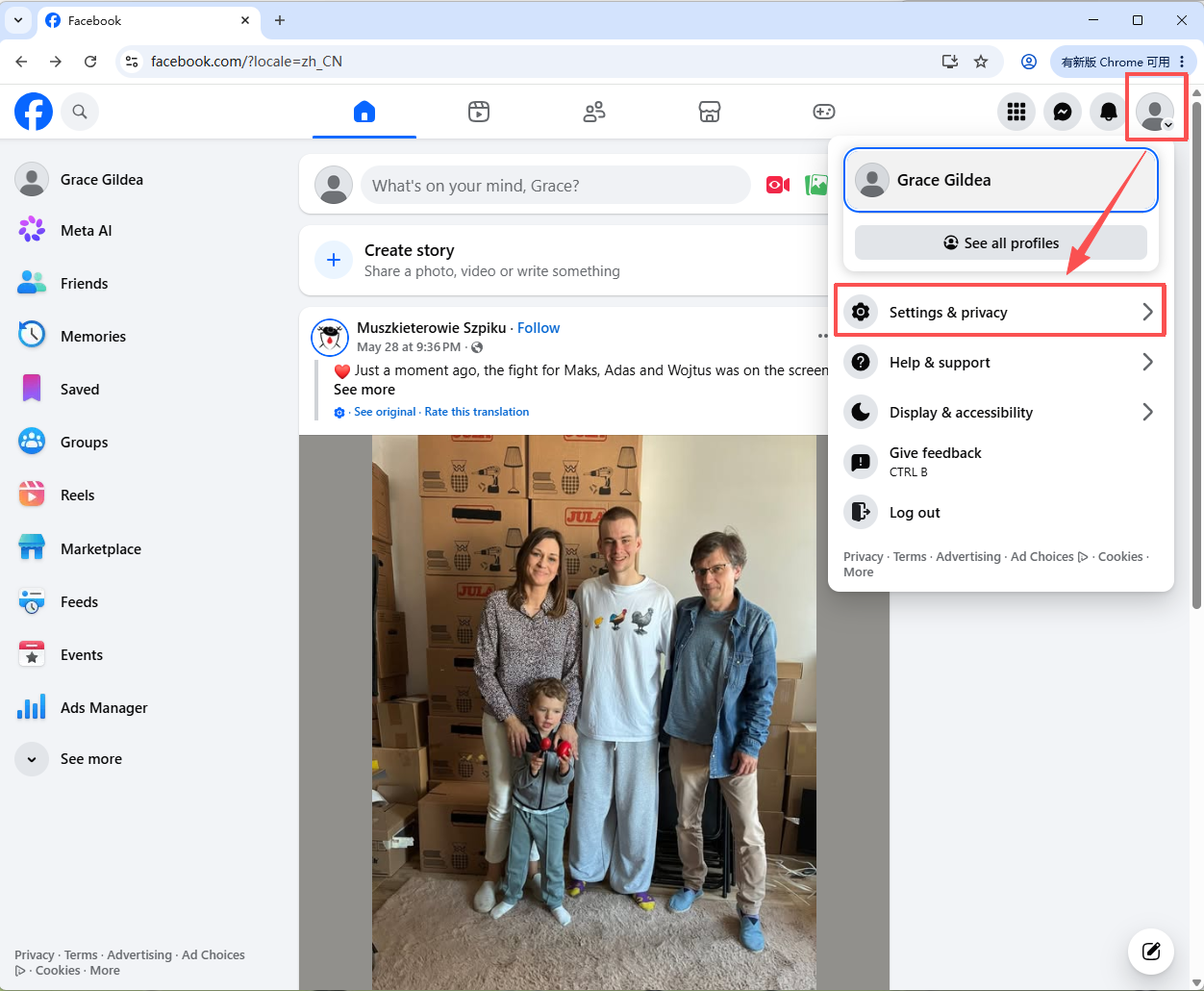
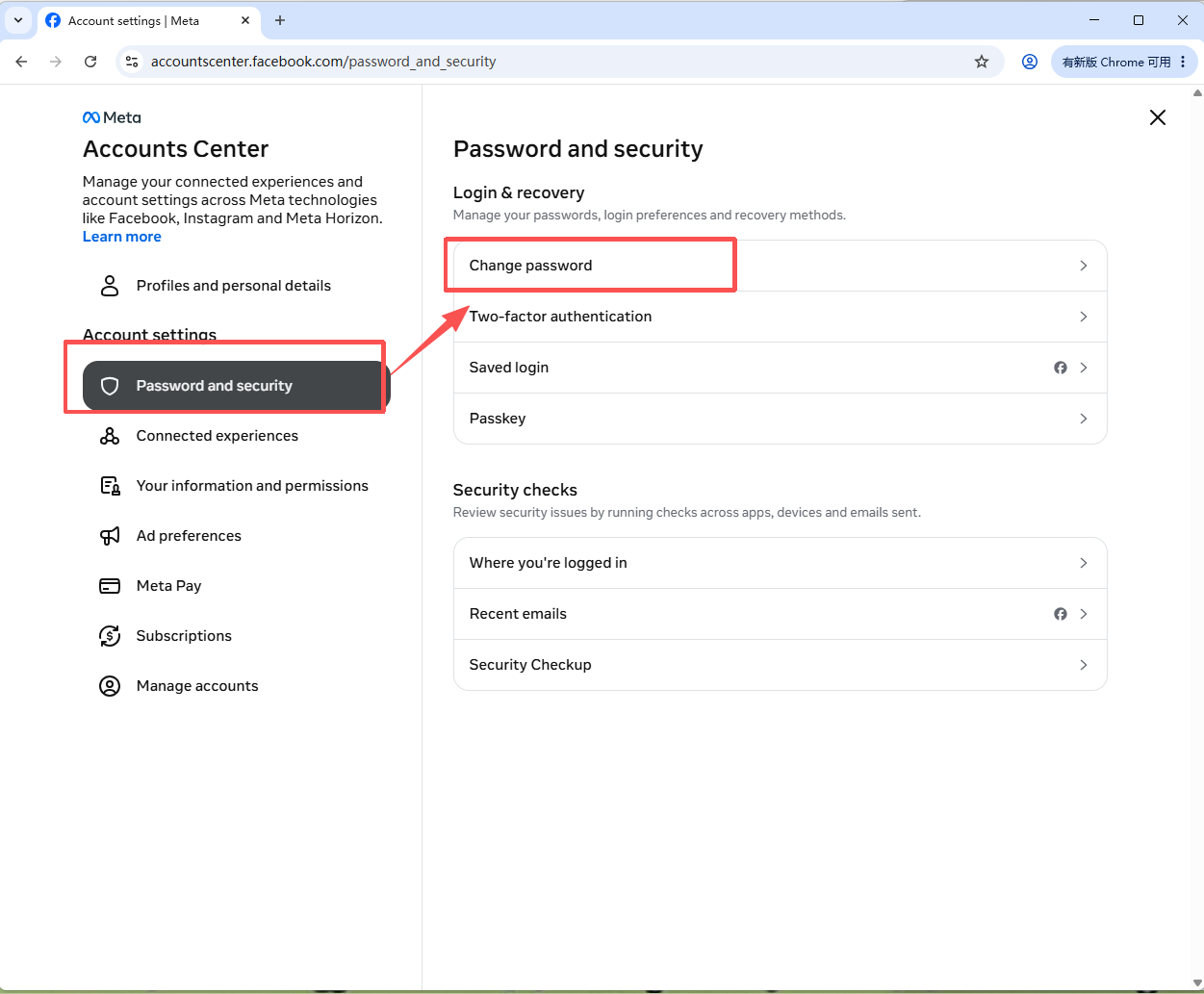
2. Navigate to: Settings & Privacy → See More in Accounts Center → Password and Security
Select the Facebook account whose password you want to change.
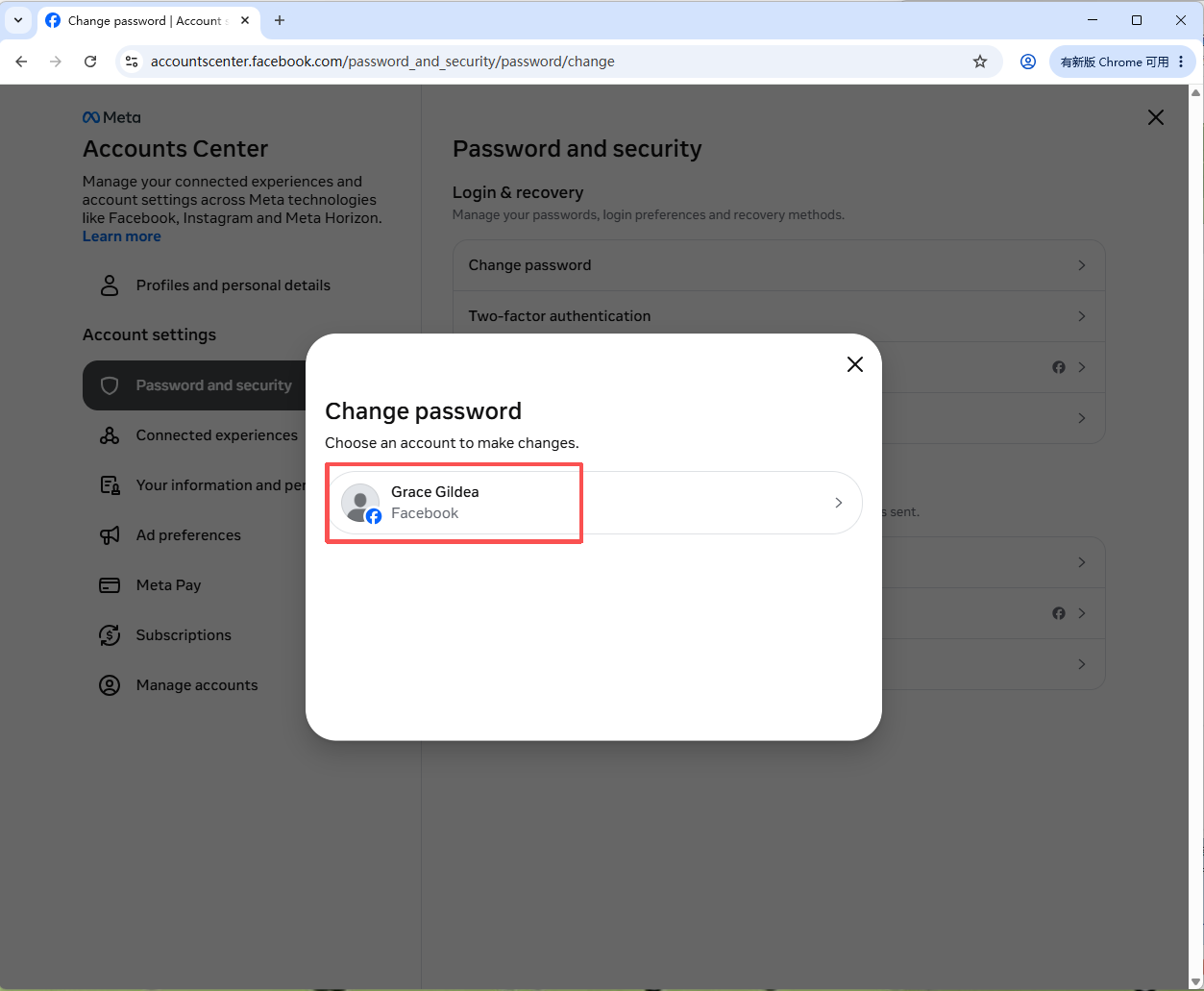
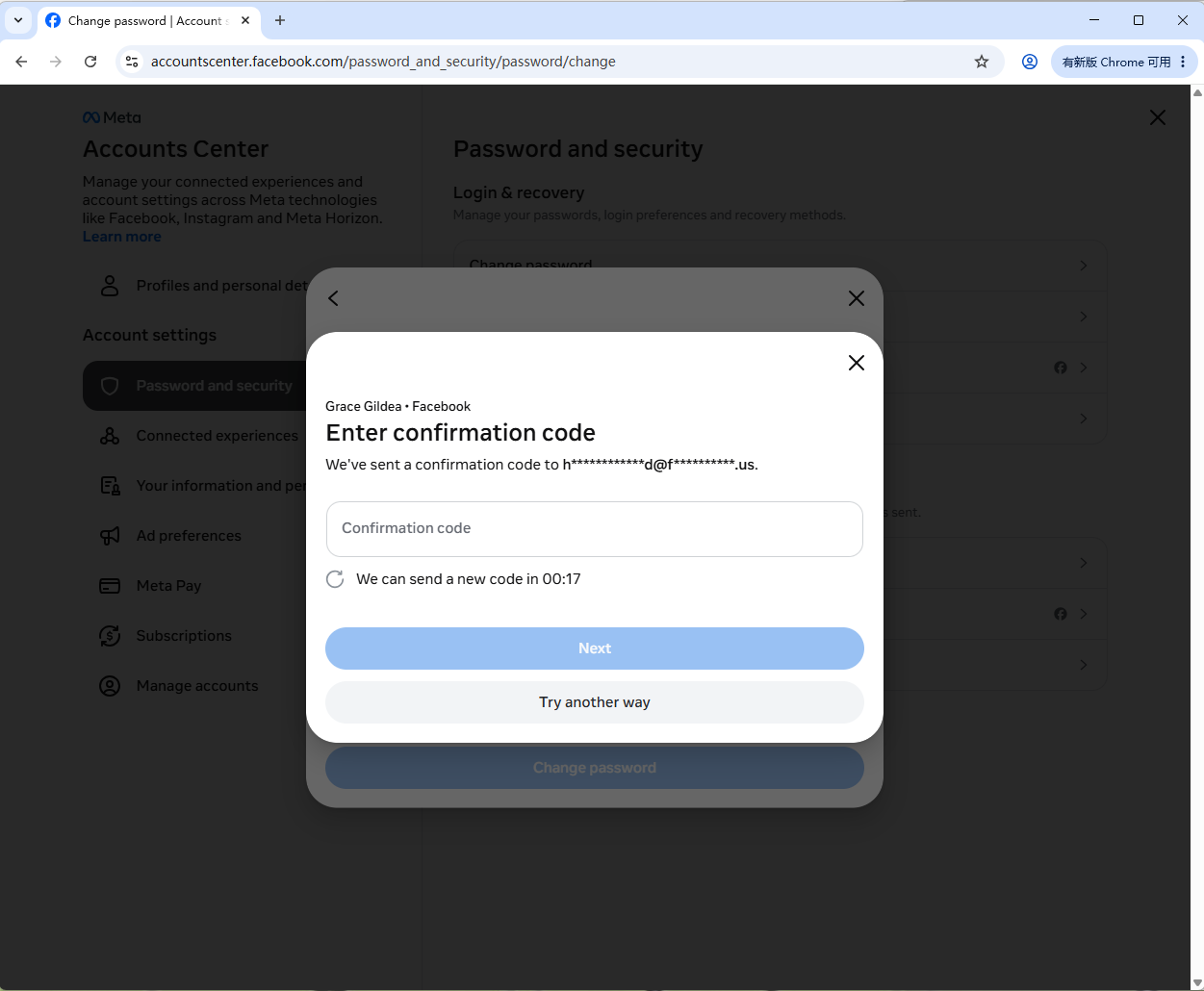
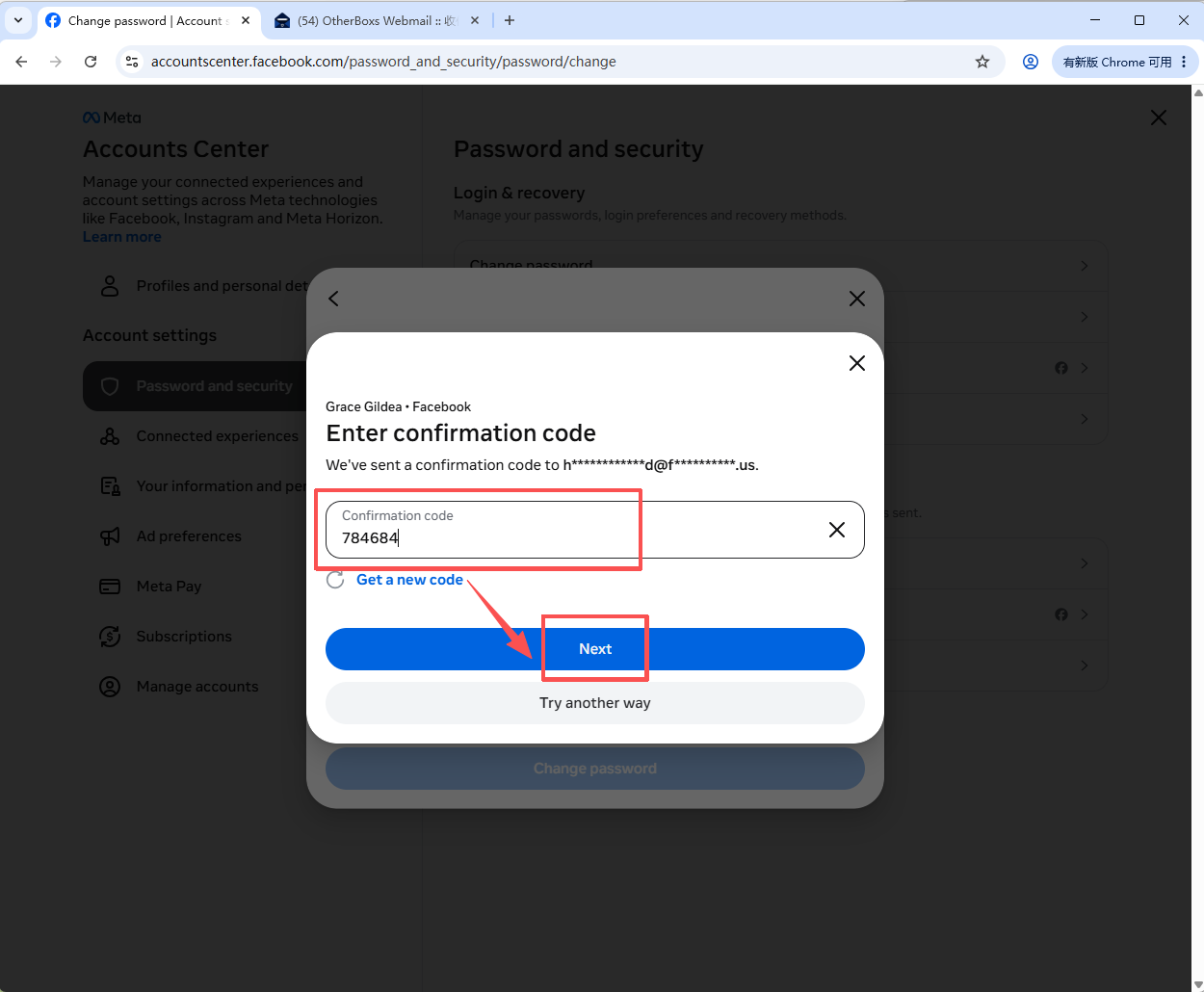
3. Facebook will send a verification code to the registered email address.
Open the email inbox, find the verification code from Facebook, enter it into the verification field, and click "Next".
4.Enter:
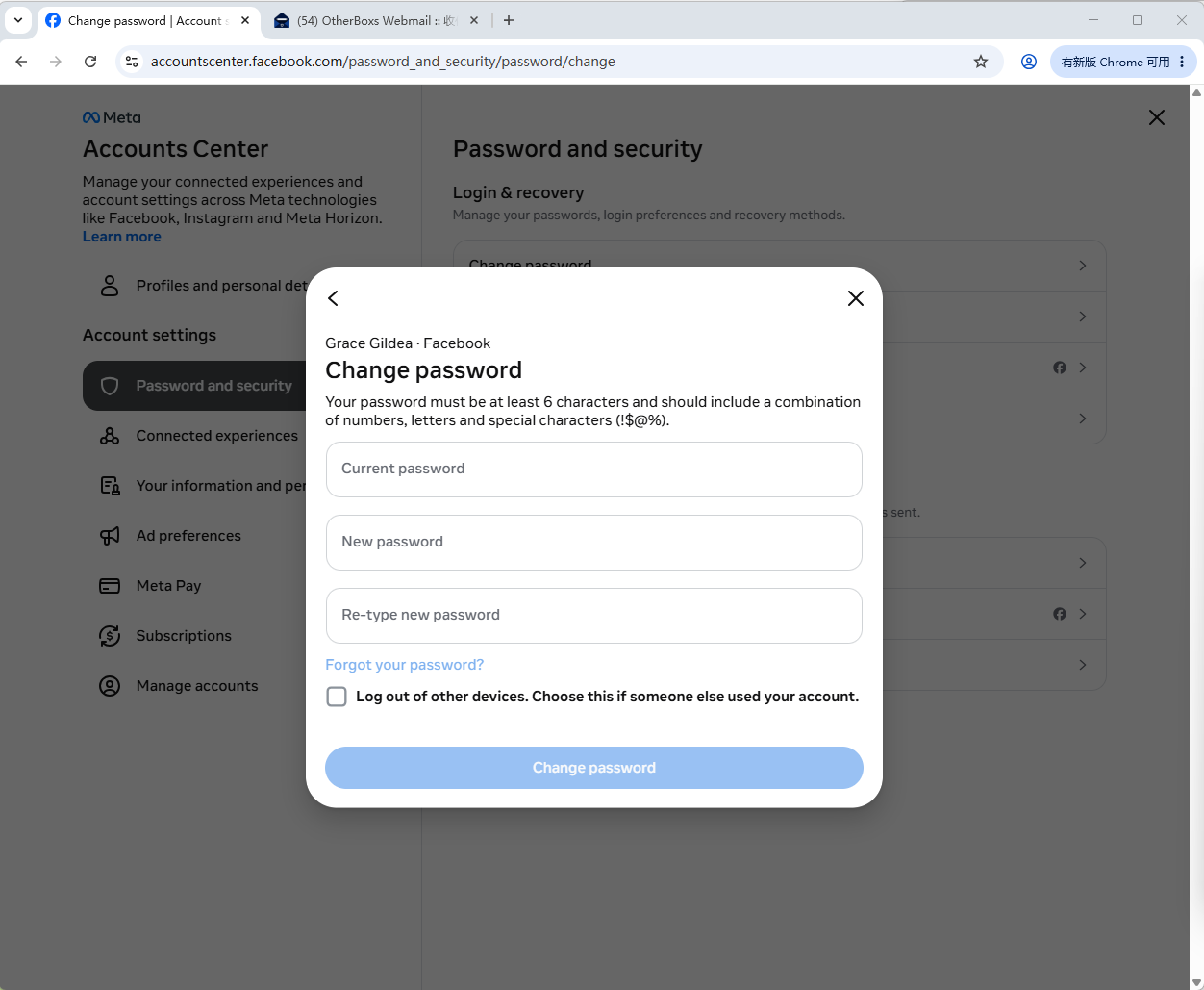
- Current Password
- New Password
- Confirm New Password
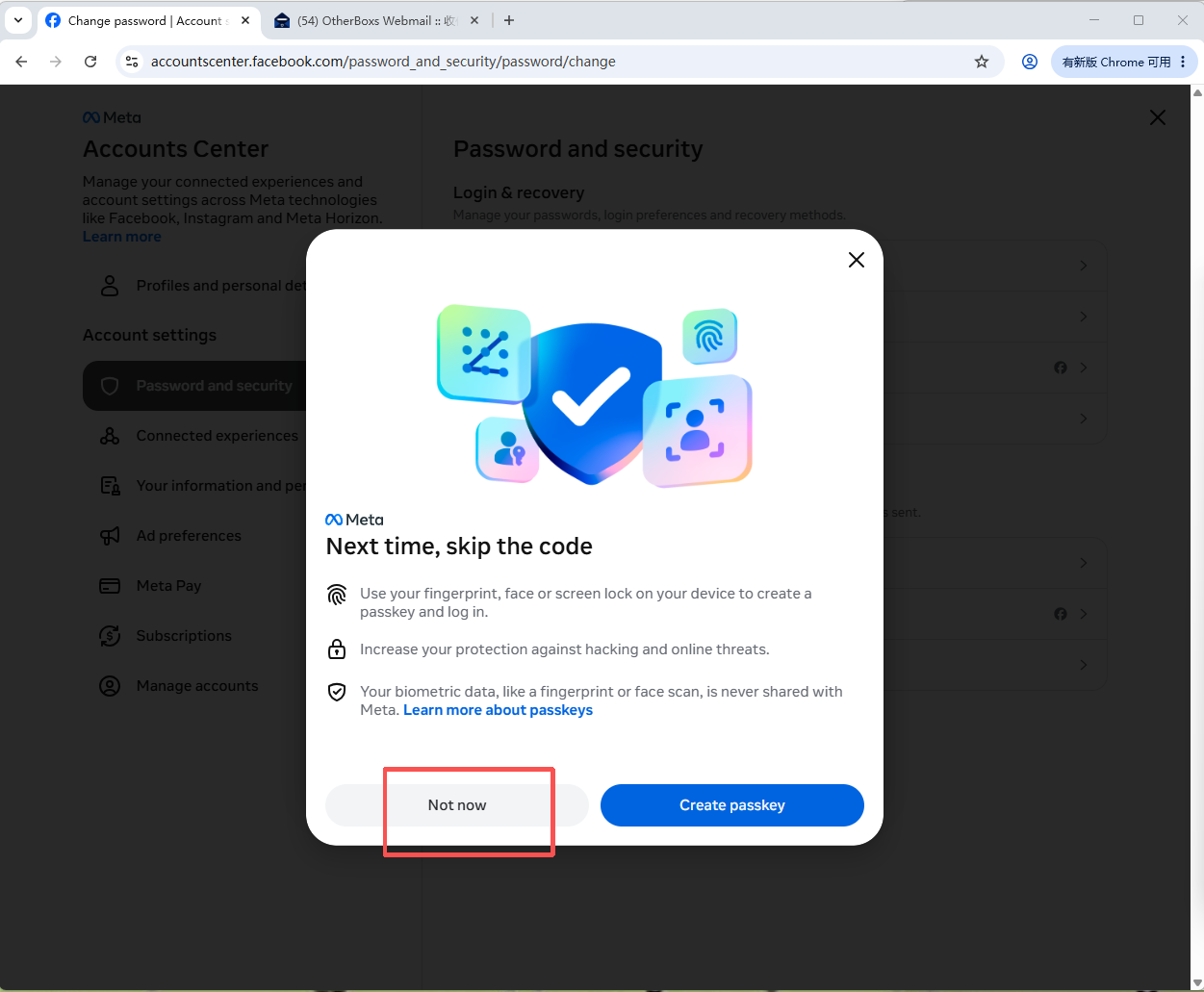
Then click "Confirm" to save the changes.
5. Copy and paste the email domain suffix "@facemailtop.us" into your browser's address bar to access the login page.
Log in using the email address and password provided in your order, retrieve the verification code sent by Facebook, and enter it into Facebook when required.
Was this article helpful?